Using Extended GDS URIs
| Note
The use of extended GDS Uniform Resource Identifiers (URIs) is only supported for PLCnext Technology targets with a firmware version 2025.6 or newer. |
| Note
Extended GDS URIs can only be enabled for fieldbus port connections (i.e., IN and OUT port connections between PROFINET or Axioline localbus components). |
| Further Info
Please also refer to the PLCnext Info Center and the respective device manual for details on the GDS of PLCnext Technology targets. |
The Global Data Space (GDS) contains all logical data connections between the IN and OUT ports of programs. It is configured in PLCnext Engineer by assigning IN and OUT ports of programs to each other. The GDS stores these port connections with the associated process data required for synchronized communication between tasks. Within the GDS, each of the ports has its own unique name (URI). This URI is used to identify the port in the GDS.
For fieldbus devices (e.g. PROFINET or Axioline local bus devices), extended URIs can be used to address IN and OUT ports within the GDS. The use of extended URIs is enabled or disabled using the 'Extended GDS URIs' checkbox in the 'Extended URIs' group in the 'Settings' editor of the controller PLANT node.
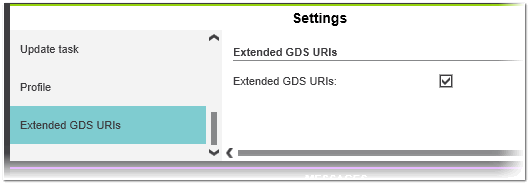
When extended URIs are enabled (checkbox selected), the complete device instance path or network hierarchy path of the IN or OUT port, derived from the automation project, is written into the GDS. This results in a human-readable port name that can, for example, be recognized when browsing the GDS via OPC UA. The instance path corresponds to the instance path shown in the corresponding GDS Port List in your project.
- Extended URI name in GDS: AXBusCoupler_Function.di-1.di-1.IN05
- Port name in GDS Port List:

Depending on the setting for the use of extended GDS URIs in your project, the URI used for the port name in the GDS has the following structure:
| Extended URIs | Structure | Examples |
|---|---|---|
| Enabled | ComponentInstanceName/InstancePath.PortName
where: ComponentInstanceName = instance name of the component used to identify the controller type (e.g., Arp.Io.PnC for Profinet controller). InstancePath = full hierarchical path of the port (corresponds to the instance path shown in the GDS Port List). PortName = name of the IN or OUT port. | Profinet ports: Arp.Io.PnC/axl-f-bk-pn-tps-1.di-1.di-1.IN01 Arp.Io.PnC/AXBusCoupler_Function.di-1.di-1.IN05 Axioline ports: Arp.Io.AxlC/aio-1.IN01 Arp.Io.AxlC/AX_IO_Location.OUT01 |
| Disabled | ComponentInstanceName/NodeID.PortName where: NodeID = automatically generated node ID of the module which provides the port. | Profinet ports: Arp.Io.PnC/12.IN01 Arp.Io.PnC/12.IN05 Axioline ports: Arp.Io.AxlC/0.IN01 Arp.Io.AxlC/0.OUT01 |
Use of 'Function' and 'Location' of devices in URIs
When using extended URIs, observe the following:
- The 'Function' and 'Location' text of devices under each master node (Profinet, Axioline) must be unique. If not, a corresponding error message is reported.
- If both, 'Function' and 'Location' are specified for a device, the 'Function' text is used in the GDS URI. If only 'Location' is specified, the 'Location' text is used. (Same behavior as in PLCnext Engineer.)