Configuring Connections for Publishing/Subscribing
This topic contains the following sections:
An OPC UA PubSub configuration consists of one or several communication connections into a specific network. A connection is specified by a Multicast address (network address), the controller's network adapter (network interface) and a unique Publisher ID.
Each connection can contain several publishers and/or subscribers which write/read data. Each publisher/subscriber contained under a particular 'Connection' node in the configuration tree uses the defined connection settings.
The connections are edited in a table in which each row represents one connection (see below).
How to add and specify a connection
| Note
In addition to manually adding a new connection as described in the following procedure, you can also import a connection from an external PubSub configuration of a remote OPC UA server. See the topic "Importing External PubSub Configurations from Remote Servers" for details. |
- In the tree on the left, select the 'Configuration' node.
- In the 'Connections' table of the configuration editor, left-click in the empty cell in the 'Name' column.
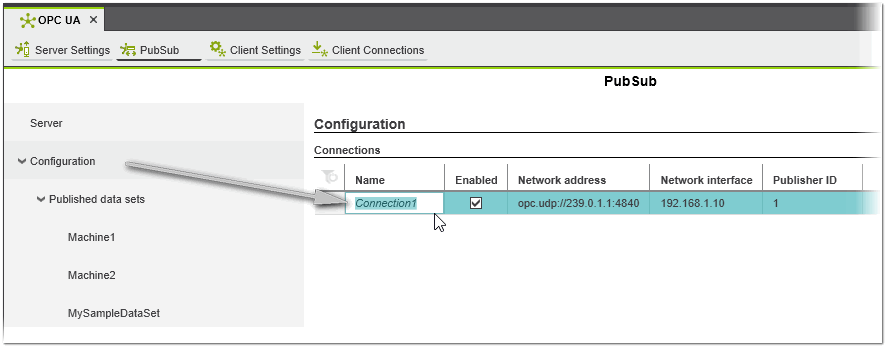 A new connection with a default name is added.Click anywhere in the grid to accept the default name or edit it, and press <Enter>. The connection is also displayed in the configuration tree.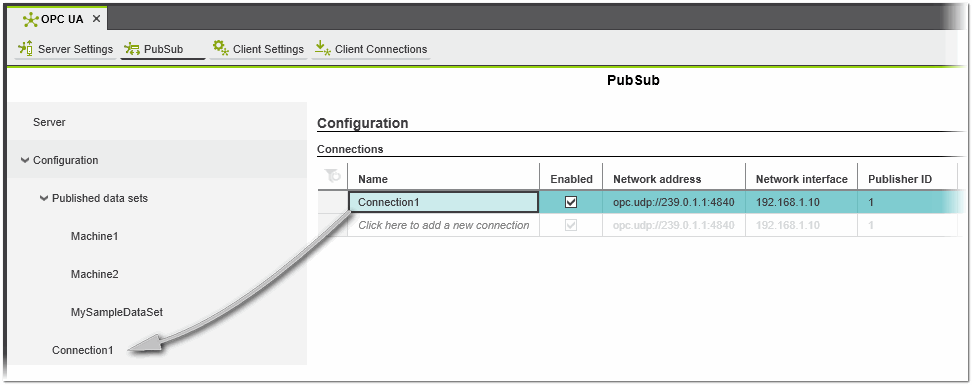
- Leave the 'Enabled' checkbox checked by default if you want the connection to be active for publishing/subscribing in the current project.
If you want this connection to be idle, deactivate the checkbox.Note
When a connection is deactivated, all writer groups with all writers will be inactive, even if they are set to 'Enabled'. - In the 'Network address' field, enter a valid Multicast address with OPC UDP protocol as a prefix (opc.udp://) followed by a valid port number (4840 by default).
Default value for the first connection: opc.udp://239.0.1.1:4840Note
In general, Multicast addresses (IPv4) have to be in the range of 224.0.0.0 to 239.255.255.255. Multicast is a feature of involved Ethernet devices (including switches and routers placed between publisher and subscriber). Therefore, the related devices have to support this feature, too. Some switches may require an additional configuration. Each involved switch maintains internal tables how to forward Multicast datagrams effectively. Therefore, the following addresses must not be used:
224.000.000.001
224.000.000.002
224.000.000.022
Furthermore many switches optionally use IGMP (Internet Group Management Protocol) snooping to further optimize their internal tables for forwarding Multicast datagrams and to reduce overall network traffic. Typically the following addresses may cause additional effort for these switches and should not be used:
224-239.000.000.*
224-239.128.128.* - In the 'Network interface' field, select the local network adapter of your controller. If the IP settings of the PLCnext Technology controller in your project is already configured (in the 'IP Subnet' editor of the project node), it can be selected in the drop-down list.
- Edit the Publisher ID if necessary. The Publisher ID uniquely identifies the connection within the configuration. The number is assigned automatically after insertion. Please note that Publisher IDs must be unique within a configuration. The ID 0 is not allowed.
Note
A subscriber identifies the publisher from which data is to be read using a combination of the Writer ID, Writer group ID, and Publisher ID.
Editing connection properties
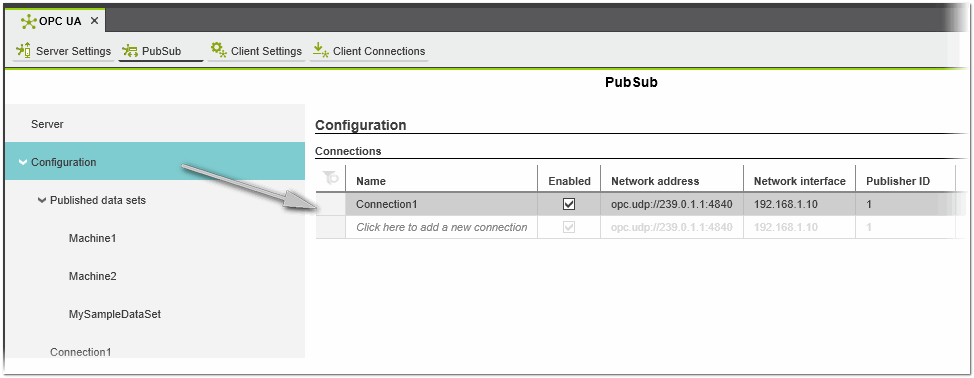
The properties of the connections can be viewed and edited in the 'Connections' table of the 'Configuration' node.
Next steps
 Add writers (publishers) to a connection
and assign data sets to a defined writer
Add writers (publishers) to a connection
and assign data sets to a defined writer
Add readers (subscribers) to a connection
and map target (local) variables to the variables read from a publisher